With the upswing of automation, the greenhouse industry is catching up with the traditional manufacturing industry when it comes to in-house operations. However, one area the horticulture industry has not caught up yet is in remote access.
By using mobile devices out on the road, greenhouse employees can keep operations flowing without waiting for retailers to provide feedback or hard numbers.
The following are real-world examples of how greenhouse operations could use mobile devices at remote locations, most of which are being used by traditional manufacturers. Even though these apps are rare in the horticulture world, the good news is that these do exist and can be developed into any greenhouse management system.
Store and vendor management services
Joe, a vendor services representative, arrives at his first big-box retailer of the day, and as he walks through the door, he punches his time clock feature on his handheld. As he walks into the garden center, he pulls up the digital store map, compares it to how his inventory is actually arranged, and updates the map with notes about how the changes affected their display’s appearance. After snapping a few photos with his handheld, noting where there may be damage by pests or changes in sunlight, Joe begins to crunch the numbers of his inventory and inputs suggestions for item replenishment or other orders. (Even though this data may be updated by their system back at the greenhouse, this method is more real-time than waiting for a daily update.)
With as many sales as their display has had, Joe begins to rearrange the remaining inventory to make the display presentable. While he’s working, a customer comes up to him to say how beautiful the red petunias were she bought from this display last week and wondered when they would be getting in more. Checking his handheld, Joe tells her the next shipment would be in on Wednesday and verifies that red petunias were on the order.
Joe then meets with the garden center manager to go over the information he collected and look at the numbers. After recording the meeting notes and the comments from the customer, he clocks out as he leaves the store.
Route sell
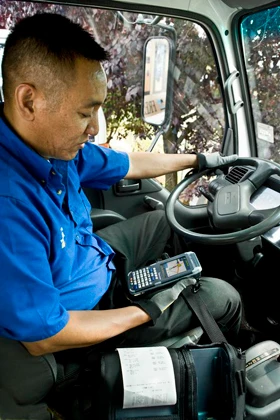
Sally picks up her handheld device at the greenhouse to begin her day delivering to local garden centers. All of the data for her day’s work was downloaded onto it overnight. Before she leaves for her route, she loads her truck with inventory from firm orders and from stock. Then she fires up the GPS function on her handheld to guide her on the most efficient route to make her four stops. At her first two stops, things go smoothly. The handheld allows her to update the inventory at both stores and process orders from the stock on the truck. Payments can be processed on the spot or added to an account through her handheld unit as well. But when Sally turns her GPS back on in the truck, she notices an update on her route. An employee of the third garden center called the greenhouse home office to say their manager was home with the flu and couldn’t accept the delivery. The home office gave Sally a real-time update, and her route was recalculated to the fourth store. When she arrives back at the greenhouse, she docks her handheld to charge and download the next day’s job.
Shipping and delivery
Like Sally, Sam is a truck driver for a large-scale greenhouse. However, his focus is on pre-defined sales orders from big-box retailers. They both begin and end their day the same way by picking up and dropping off their handheld device. With his truck already loaded, Sam opens his handheld, which gives him turn-by-turn directions and stop times for his route. At each of his routes, he can document discrepancies with the order, collect customer signatures or payments if necessary, and send delivery notification. He can also receive real-time updates to his route in case of any changes after he’s left the greenhouse.
Sales and customer relationship management
Fran is on the road meeting with one of her company’s retailers. As the meeting begins, Fran opens up her contact management software’s app on her mobile device so she can take notes and also review previous e-mails and phone conversations. She gives the management an overview of their shipments and payments, and reviews their order trends with the data on her mobile device, and records their feedback. She can also bring up displays of the new varieties they’re going to test in the market next year and process orders. When she gets back to her hotel room, she can analyze and update the sales goals for her team.
Management
Bill, the general manager of his family’s greenhouse business in Minnesota, is attending the OFA Short Course. While he’s in Columbus, Ohio, he received a call from his sales manager. Their retail stores are anticipating strong sales the following weekend due to a great weather forecast. Even though Bill’s greenhouse was forecasting decent sales for the third week in July, their numbers were nowhere near what the retail stores are expecting. The general manager can use his mobile device to go into their business system to help make decisions based on what the stores requested; what types, varieties and colors they have available to send and will be ready by their next shipment.
These applications are being used successfully in other industries right now. How could they work for you in your greenhouse?
Practical Software Solutions is a Sage Authorized Partner. For more information, contact Greg Lafferty at 704-721-6800 ext. 3019 or glafferty@practicalsoftwaresolutions.com.
Latest from Greenhouse Management
- Jackson & Perkins expands into Canadian market
- Green & Growin’ 26 brings together North Carolina’s green industry for education, connection and growth
- Marion Ag Service announces return of Doug Grott as chief operating officer
- Cincinnati Zoo & Botanical Garden debuting new perennial section at 2026 Breeder Showcase
- The Garden Conservancy hosting Open Days 2026
- Registration open for 2026 Perennial Plant Association National Symposium
- Resource Innovation Institute and North Dakota State University explore co-location of data center and greenhouses
- Fred C. Gloeckner Foundation Research Fund calls for 2026 research proposals